Welcome to video tutorials, a place which main purpose is to help people who are interested in graphic design, photography, Macromedia Flash animation... Here can be found many tutorials on these subjects showing you how, in easy way, you can create what you want and have a really nice results. There are new tutorials added every day! Hope we are useful to at least some of you because that is our main goal!
This time you will learn how can you make any object stick out form any image like this:
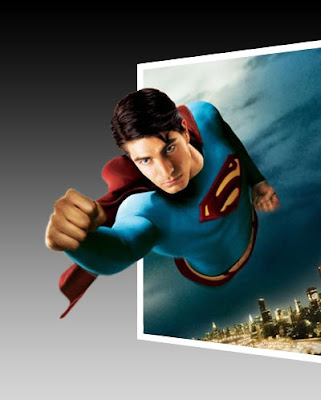
This time you will learn how can you make any object stick out form any image like this:


