Showing posts with label free photoshop. Show all posts

Animated Earth


There are tons of tutorials describing how to draw our Earth. But all of them are static and they only show the Earth from one side. It is more interesting to see the globe rotating. I’ve decided to fill this gap and write a tutorial devoted to the Earth’s rotation.

Animated Earth
Tip: If you want to repeat my steps using the picture resolution that I use, make sure your computer is powerful enough to handle it. Otherwise, you can reduce all the parameters and work with smaller images. I prefer to work with larger resolution, because I want to have more freedom while editing images, and to save the resulting image at a smaller size for better quality.
Read More

How to Apply Textures to Uneven Surfaces

Final Product What You'll Be Creating

Applying texture to a flat surface, or flatly applying a texture across a whole image (as a means to age it or degrade it) is simple stuff. Realistically applying a texture to an uneven surface is much more hands-on (more so than simply overlaying a texture and changing the Blending mode).
Read More

"Moonbase" Website Layout


1 – Creating the structure of the page

Click File > New. Enter a Width of around 700, and a Height of around 500. Press OK.
Set your foreground colour to brown. (I've used 5A2A00 here.)
Read More

Clever Conceptual Photo Manipulations That Tell a Story


Liquid Fire

An excellent example depicting the metaphorical concept of liquid fire. It shows how fire would look if it was made
of water
.
Read More

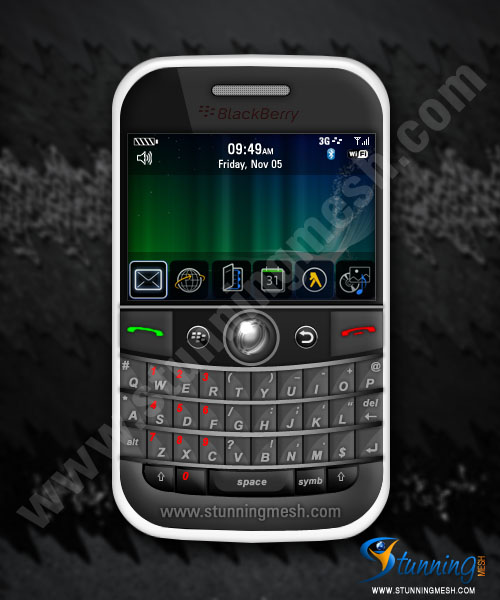
Design BlackBerry Interface Using Photoshop

Here is very long tutorial, in this tutorial you will be making BlackBerry in Photoshop. A lot things for you to learn in this tutorial. As we found some website are publishing our tutorials as it is without changing even pictures, so we’ll be uploading watermarked pictures now and onward.

1. First of all take a new file in Photoshop and put any picture as the background in it. I’ve taken 500x600px size and RGB Color mode and 72 DPI with this picture as background:
Read More