Showing posts with label learning. Show all posts

Photoshop Create Real Fire Effects

Here we are going to make fire Effects which we will create using by the Photoshop. you can see the Final Image Below.

Step 1: Open a car image for this effects which you want to create so get an image from internet or from your computer.
Read More

Design Vista Light Effects

you’re a Windows Vista user, you’re probably familiar the eye catching graphics shown off on the box, and in some of their wallpapers/screensavers. In this tutorial, I’m going to show you how to create that effect yourself.
This Vista Lighting Effect, sometimes referred to as the Aurora Effect, can really transform an ordinary wallpaper to something extraordinary. What makes it even better is that it’s very easy to achieve. Just follow these simple steps!

Here Look the Final Image

Design Vista Theme

Read More

Photoshop Exotic Fashion

Find out what Photoshop techniques were used to create this painting. In this Photoshop tutorial, we will walk you through several painting techniques to get you started with painting.
The Final Image of Photoshop Exotic Fashion Sample Tutorial


Photoshop Exotic Fashion Sample

Read More

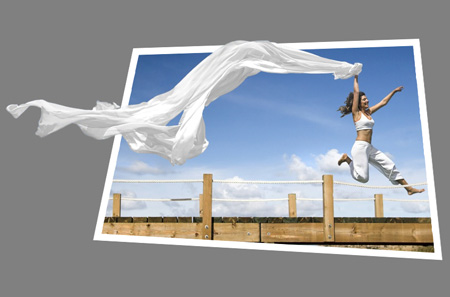
Design Photo Cutout Using Photoshop

Photo Cutout Photoshop Tutorial


Read More

Retouching Underwater Photos Photoshop Tutorial

One of the most common underwater photography

difficulties is trying to capture a photo without extreme color and contrast loss. In this Photoshop Tutorial, you'll learn how to analyze and restore the color and contrast of underwater photos.

Underwater Photo Retouching Photoshop Tutorial

Color Correction

Loss of color and contrast is the primary obstacle faced by underwater photographers. First, we'll work on restoring the color of the photo to produce a fuller spectrum of color. The deeper the location image was taken at, the more color loss there is. Colors with longer wavelengths such as red and orange disappears first. When extremely deep, only blue can be recorded.

Identifying the Problem

Correcting the color for underwater photos is simple, but not as simple as regular photos. Unlike most photos where the color can be corrected using by setting the gray point with the Levels tool, underwater photos need to be manually corrected. Because most underwater photos lack an accurate gray as a reference for the color, we need to analyze the channels to identify the color causing the problem. There are two primary elements that need to be worked on: color and contrast. First, we'll show you how to restore the colors and then we'll show you how to enhance the contrast of the distance.
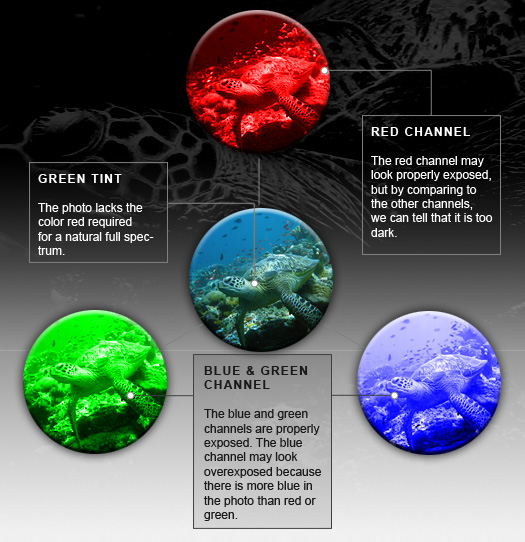
Channels in the underwater photo

Correcting Color
Read More

Retro Colors Effects Using Photoshop

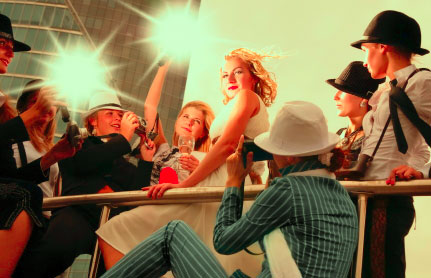
Make photos look dated with this easy color effect. In this tutorial, you will learn how to use the Match Color tool to alter the color of a photo.

Preview of Final Results

Retro Colors  Photoshop Tutorial

Read More