Showing posts with label editing. Show all posts

Photoshop Old Map Tutorial

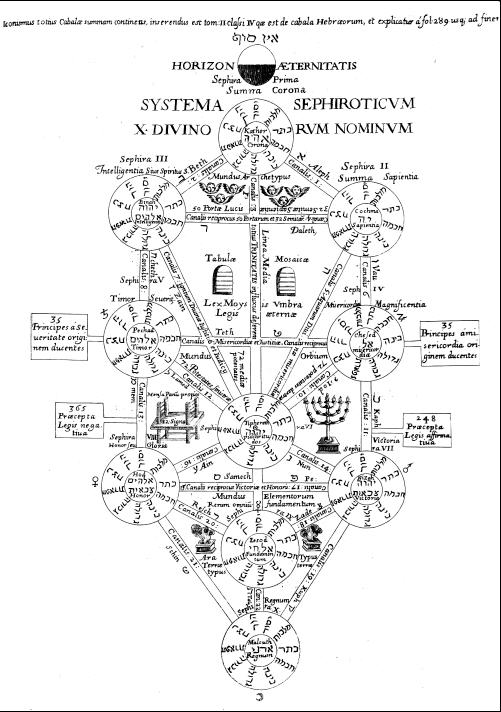
Here’s a great way of taking a simple black and white drawing and converting it into a mysterious, old map, lost for hundreds of years. For the ingredients you need to look on the net for a nice, black and white drawing or diagram. I found this on Google.
Step 1
Only choose big images. This one was 1000×1420. Open it in Photoshop.


Read More

Layered HDR Tone Mapping

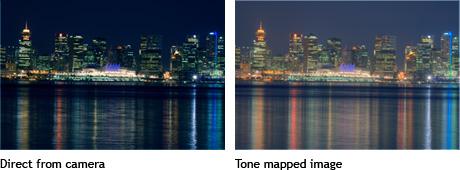
Learn how to tone map with Photoshop CS3 to create beautiful high dynamic range (HDR) photos. The final result is exceedingly better than Photoshop's local adaptation and similar to Photomatix's tone mapping.

HDR Tone Mapping

What is Tone Mapping?

Tone mapping compresses the tonal values of a high dynamic range image into a lower one. The result is an image with more visible details that would not be seen on an image with lower dynamic range.

Read More

Design Neutral Trendy Photo Effect

Make your photos interesting with this popular effect created from a combination of three photo effects. In this Photoshop tutorial, you’ll learn how to create common photo effects that can be combined to simulate the trendy effect many photographers use on their photos.
Preview of Final Results
Design Neutral Trendy Photo Effect
Design Neutral Trendy Photo Effect  Photoshop CS2 Tutorial
Read More

Foreground Lighting Using Photoshop

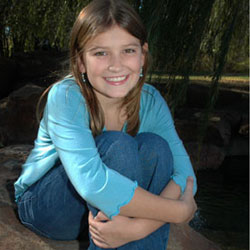
Improve your portraits with this easy and effective foreground lighting effect. In this Photoshop tutorial, you will learn how to dim the background to add focus to the subject. This effect may sound simple, but it does an exceptional job fixing portraits with busy backgrounds.
Foreground Lighting Photoshop Tutorial

Foreground Lighting Photoshop Tutorial


Read More

Retouching Underwater Photos Photoshop Tutorial

One of the most common underwater photography

difficulties is trying to capture a photo without extreme color and contrast loss. In this Photoshop Tutorial, you'll learn how to analyze and restore the color and contrast of underwater photos.

Underwater Photo Retouching Photoshop Tutorial

Color Correction

Loss of color and contrast is the primary obstacle faced by underwater photographers. First, we'll work on restoring the color of the photo to produce a fuller spectrum of color. The deeper the location image was taken at, the more color loss there is. Colors with longer wavelengths such as red and orange disappears first. When extremely deep, only blue can be recorded.

Identifying the Problem

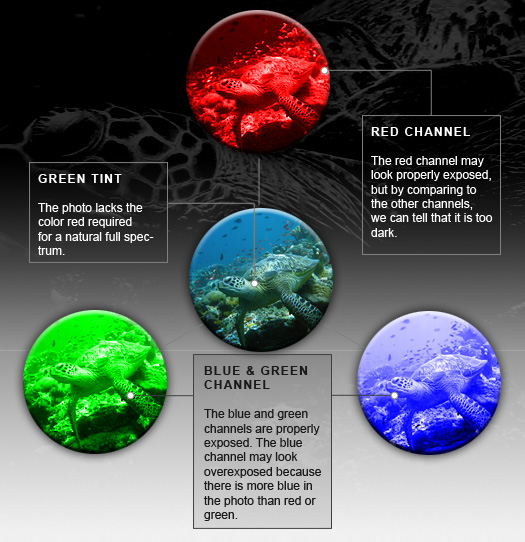
Correcting the color for underwater photos is simple, but not as simple as regular photos. Unlike most photos where the color can be corrected using by setting the gray point with the Levels tool, underwater photos need to be manually corrected. Because most underwater photos lack an accurate gray as a reference for the color, we need to analyze the channels to identify the color causing the problem. There are two primary elements that need to be worked on: color and contrast. First, we'll show you how to restore the colors and then we'll show you how to enhance the contrast of the distance.

Channels in the underwater photo

Correcting Color
Read More