Showing posts with label effects. Show all posts

Cool Photoshop Explosion Effect


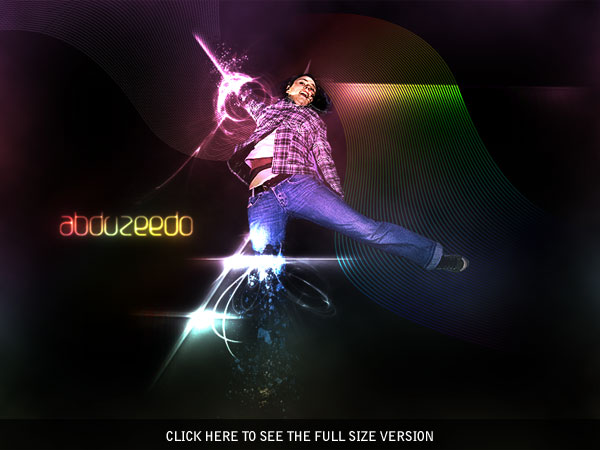
Explosions are cool. Seriously cool. So when I received some e-mails asking about how to create a break-apart, explosion effect, I knew it’d be worth making a tutorial on. Read on to find out how to break apart a body, then add some awesome lighting and glow, and nopattern style, to finish the image off.

Read More

Text Effects Cindy Style in Photoshop

In this tutorial we will learn how to create a candy cane like text effect with the help of some simple Photoshop techniques.

Step 1: Some words about the font

Download the typeface Candice.
You’ll also find instructions on how to install the font in case you never did that before.
Feel free to use another font if you like to, but Candice is really a nice fit for our text effect as well as it is completely free.
Read More

How to Create Super-Malleable Effects with Colorful Lines

Step 18Save Small Picture and then See in Full Size Image 
These days colorful lines are one of the most malleable effects you can easily create in Photoshop. They simply fit everywhere and can look really awesome. In this tutorial, you’ll learn how to create these fantastic colorful effects using only Photoshop. I’ll show you how to compose illustration with these effects. Let’s get to it!

Video Tutorial

Read More

Blurry Glass Effect Using Photoshop

Blurry Glass Effect Result Image
Firstly, you’ll be needing a stock photo. Below I’ve written down some good sources for free stock photos.
  1. stock.xchange
  2. Yotophoto
  3. DeviantART
After you’ve chosen a nice stock photo, we can move on with this tutorial. You can download the stock photo that I used from here: Water Droplets Stock.

Read More

Create Glossy Dollar Sign Using Photoshop

In this simple ‘n’ easy tutorial I’m going to be teaching you how to create an effect similar to the one shown below, a glossy kind of ‘dollar sign logo’, great for Webmasters, right?.
Create Glossy Dollar Sign With Photoshop


Read More

Gritty HDR Photo Effects

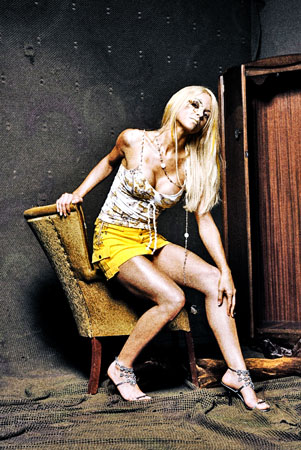
Give your photos a grunge look with this popular Photoshop effect. Although this Photoshop effect is commonly referred as HDR photo effect, it is it can be done with regular, non-HDR photos.

Note: This photo effect is titled Gritty HDR due to the common use of the name and is not intended to be an accurate description of the effect. HDR means high dynamic range but this photo effect does not require the use of HDR (High Dynamic Range) photos. This effect is better described as a grungy tone mapping effect that can be done without the use of HDR images.

Preview of Final Results

Gritty HDR Photoshop Tutorial

Gritty HDR Photoshop Tutorial

Read More

Foreground Lighting Using Photoshop

Improve your portraits with this easy and effective foreground lighting effect. In this Photoshop tutorial, you will learn how to dim the background to add focus to the subject. This effect may sound simple, but it does an exceptional job fixing portraits with busy backgrounds.
Foreground Lighting Photoshop Tutorial

Foreground Lighting Photoshop Tutorial


Read More