Showing posts with label free tutorial. Show all posts

Glowing Neon Lines in Photoshop


In this Photoshop tutorial, you will going to learn how to create a Glowing Neon Effects form a scratch.

Final Image Preview

Create a Glowing Neon Effects form a scratch in Adobe Photoshop CS3
Start working by creating a new file (File>New) of 1920×1200px/72dpi. Select after that the Paint Bucket Tool (G) to fill the new layer with black color.
Read More

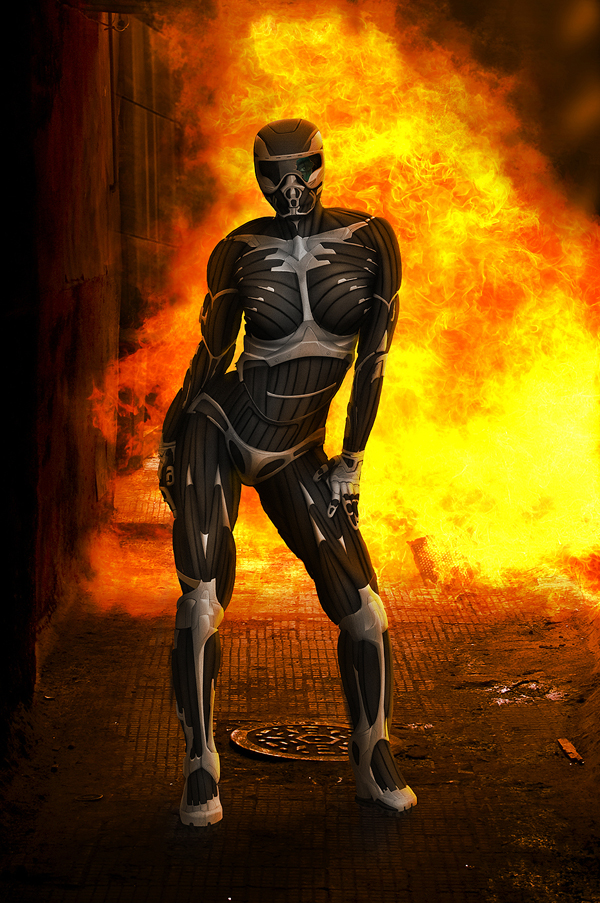
Design Crysis Inspired Drawing Nano Suit Photoshop Tutorial


Final Product What You'll Be Creating
Have you ever needed to skin an object with a metal surface? In this Psd Premium tutorial, author Ed Lopezwill use digital painting techniques to skin a person with futuristic hard and soft metals to create a Crysis inspired nano suit. While this tutorial is meant to emulate the popular video game, the same techniques could also be used on everything from autos to spaceships. This tutorial is available exclusively to Premium Members. If you would like to take your digital painting and drawing skills to the next level, Log in or Join Nowto get started!

Read More

Recreate the Famous Yahoo! Smiley

result image

1. Document

Start by creating a new document. For this tutorial I used a very small document size. I then added in a simple radial gradient to the background.
Read More

Design a card with tree balls in Photoshop

In this tutorial, we are going to design a simple card in Photoshop. I hope you enjoy this tutorial and that it inspires you to create your own postcard fo!

Final Image Preview

Design Christmas card with tree balls in Photoshop CS4
Create a new document (Ctrl+N) in Photoshop with the size 1920px by 1200px (RGB color mode) at a resolution of 72 pixels/inch. Using the Rectangle Tool (U), let’s represent a big rectangle reserved for background of the card we want to have.
Read More